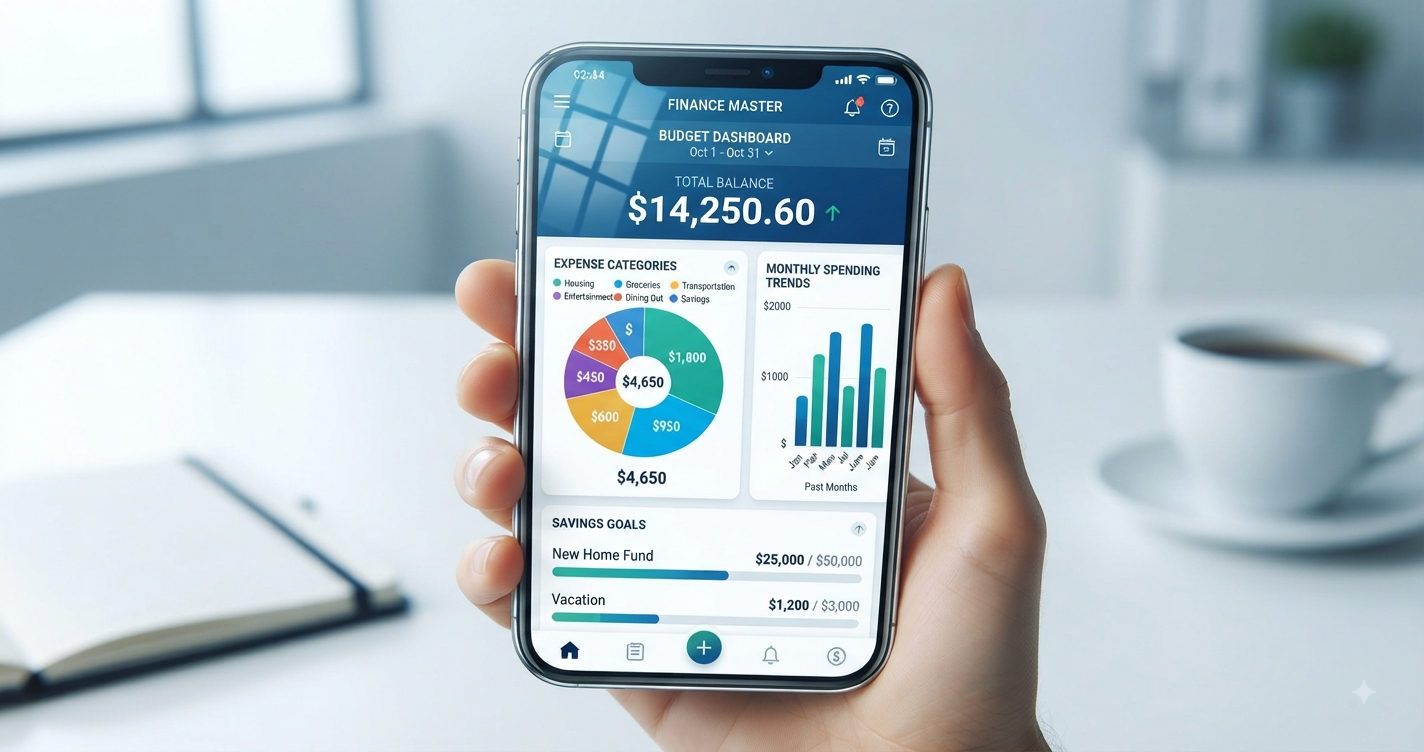
Are you tired of wondering where your money goes each month? You’re not alone. According to a 2024 survey, 78% of Americans live paycheck to paycheck, and the biggest culprit isn’t necessarily low income—it’s lack of money tracking.
The good news? Technology has made budgeting easier than ever. Gone are the days of complicated spreadsheets and manual envelope systems. Today’s budgeting apps automatically track every dollar, categorize your spending, and even predict future expenses—all from your smartphone.
But with hundreds of budgeting apps available, how do you choose the right one?
Whether you’re a budgeting beginner looking for something simple, a financial enthusiast who wants detailed analytics, or someone trying to break free from debt, there’s an app designed specifically for your needs.
In this comprehensive guide, we’ll review the 12 best budgeting apps for 2025, comparing their features, pricing, pros and cons, and ideal users. We’ll also help you understand which budgeting method each app uses, so you can find the perfect match for your financial style.
By the end of this article, you’ll know exactly which app will help you take control of your money and finally stick to your budget.
Let’s dive in and find your perfect financial companion.
Why You Need a Budgeting App in 2025
Before we explore specific apps, let’s understand why digital budgeting tools have become essential.
The Problem with Traditional Budgeting
Traditional budgeting methods—spreadsheets, notebooks, or mental math—have several critical flaws:
1. Time-Consuming: Manual entry of every transaction takes hours monthly
2. Delayed Information: By the time you update your spreadsheet, you’ve already overspent
3. No Real-Time Insights: Can’t see your spending patterns until month-end
4. Easy to Abandon: Requires constant discipline with no accountability
5. Limited Visibility: Hard to track multiple accounts, credit cards, and cash simultaneously
Studies show that 80% of people who start manual budgets quit within the first month.
How Budgeting Apps Solve These Problems
Modern budgeting apps offer:
✅ Automatic Transaction Syncing: Connects to your bank accounts and credit cards
✅ Real-Time Updates: See your spending instantly after each purchase
✅ Intelligent Categorization: AI automatically sorts transactions (groceries, dining, bills)
✅ Visual Analytics: Charts and graphs make spending patterns obvious
✅ Alerts and Notifications: Warns you before you overspend in any category
✅ Goal Tracking: Monitor progress toward savings targets
✅ Multi-Device Access: Check your budget from phone, tablet, or computer
The Result: People who use budgeting apps save an average of $600 more annually than those who don’t, according to a 2023 study by the Financial Health Network.
Understanding Different Budgeting Methods
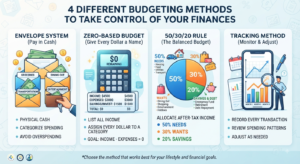
Different apps use different budgeting philosophies. Understanding these helps you choose the right one:
Zero-Based Budgeting: Every dollar gets a specific job. Income minus all assigned expenses equals zero. (Used by: YNAB, EveryDollar)
50/30/20 Method: 50% needs, 30% wants, 20% savings/debt. Simple percentage allocation. (Used by: Mint, PocketGuard)
Envelope System: Digital version of cash envelopes—once category is empty, no more spending. (Used by: Goodbudget, Mvelopes)
Tracking-Only: Simply monitors where money goes without strict categories. (Used by: Personal Capital, Simplifi)
Now let’s explore the best apps in each category.
The 12 Best Budgeting Apps for 2025
1. YNAB (You Need A Budget) – Best Overall for Serious Budgeters
Pricing: $14.99/month or $109/year (34 days free trial)
Budgeting Method: Zero-based budgeting
Best For: People serious about transforming their finances and willing to invest time learning the system
Key Features:
- Four Rule Philosophy: Give every dollar a job, embrace your true expenses, roll with the punches, age your money
- Goal Tracking: Set targets for debt payoff, emergency fund, vacations, etc.
- Real-Time Sync: Updates across all devices instantly
- Detailed Reports: Age of money, spending by category, income vs. expense trends
- Educational Resources: Free workshops, tutorials, and budgeting courses
- Bank Account Sync: Automatically imports transactions from thousands of banks
- Debt Payoff Planner: Track multiple debts and see payoff timelines
Pros:
✅ Most comprehensive budgeting methodology
✅ Excellent educational content and community support
✅ Users report average savings of $600 in first two months
✅ Strong privacy protections and bank-level security
✅ Works for variable income earners
✅ Available on iOS, Android, and web
Cons:
❌ Steeper learning curve than other apps
❌ Most expensive option on our list
❌ Requires active daily/weekly engagement
❌ Can feel overwhelming for budgeting beginners
Real User Results: YNAB users report paying off an average of $6,000 in debt in the first year and saving their first $500 emergency fund within 60 days.
Best Alternative If Price Is Too High: EveryDollar offers similar zero-based budgeting at lower cost.
Our Verdict: If you’re serious about budgeting and willing to invest both money and time, YNAB delivers unmatched results. The monthly cost pays for itself through reduced spending and better financial decisions.
2. Mint – Best Free All-Around Budgeting App
Pricing: Completely free (ad-supported)
Budgeting Method: Income minus expenses tracking with customizable categories
Best For: Beginners who want comprehensive features without monthly costs
Key Features:
- Automatic Categorization: AI learns your spending patterns and categorizes transactions
- Bill Tracking: Reminds you of upcoming bills and subscriptions
- Credit Score Monitoring: Free weekly FICO score updates
- Investment Tracking: Monitor all accounts in one dashboard
- Budget Alerts: Notifications when approaching category limits
- Custom Categories: Create unlimited spending categories
- Trend Analysis: Visualize spending patterns over time
- Financial Tips: Personalized recommendations to save money
Pros:
✅ Completely free with robust features
✅ Extremely user-friendly interface
✅ Connects to over 16,000 financial institutions
✅ Excellent mobile app (iOS and Android)
✅ Credit score monitoring included
✅ Strong customer support
✅ Low learning curve—start budgeting in minutes
Cons:
❌ Contains ads and product recommendations
❌ Less hands-on than zero-based budgeting apps
❌ Occasional syncing issues with some banks
❌ Categories can be too broad for detailed budgeters
❌ Owned by Intuit (sells anonymized data for marketing)
Privacy Note: Mint uses bank-level 256-bit encryption, but monetizes through targeted financial product recommendations based on your data.
Best For: People who want a “set it and forget it” budgeting solution with minimal daily interaction. Perfect for tracking overall spending without intensive category management.
Our Verdict: The best free option available. While it lacks the intensive methodology of YNAB, Mint provides excellent tracking and insights without costing a penny. Perfect entry point for budgeting beginners.
3. EveryDollar – Best for Dave Ramsey Fans
Pricing: Free version available; Premium $17.99/month or $79.99/year
Budgeting Method: Zero-based budgeting (Dave Ramsey’s methodology)
Best For: Followers of Dave Ramsey’s Baby Steps and zero-based budgeting philosophy
Key Features:
- Baby Steps Integration: Built around Dave Ramsey’s 7 Baby Steps framework
- Zero-Based Budgeting: Assign every dollar before the month begins
- Drag-and-Drop Interface: Extremely intuitive budget creation
- Debt Snowball Tracker: Built-in debt payoff calculator
- Premium Bank Connectivity: Automatic transaction imports (Premium only)
- Custom Budget Lines: Unlimited categories and subcategories
- Spending Tracker: Quick expense entry via mobile app
- Financial Peace University Integration: Syncs with FPU course progress
Pros:
✅ Free version is genuinely useful (unlike many freemium apps)
✅ Beautifully designed, simple interface
✅ Perfect for Dave Ramsey program followers
✅ Strong debt payoff features
✅ Annual premium cheaper than YNAB
✅ Excellent mobile app experience
✅ Quick budget setup (under 15 minutes)
Cons:
❌ Free version requires manual transaction entry
❌ Less detailed reporting than YNAB or Mint
❌ Bank syncing only available in premium version
❌ Limited investment tracking features
❌ Fewer educational resources than YNAB
Free vs. Premium: The free version is excellent for manual budgeters willing to input transactions. Premium adds automatic bank syncing and custom reports—worth it if you manage multiple accounts.
Our Verdict: Perfect middle ground between YNAB and Mint. Offers zero-based budgeting philosophy at a more affordable price point. The free version is surprisingly robust for those willing to manually track expenses.
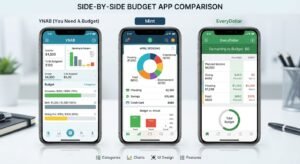
4. PocketGuard – Best for Simplicity
Pricing: Free version; PocketGuard Plus $12.99/month, $74.99/year, or $99.99 lifetime
Budgeting Method: “In My Pocket” calculation (income minus bills, goals, and necessities)
Best For: People who want dead-simple budgeting without category management
Key Features:
- In My Pocket Feature: Shows exactly how much you can safely spend after all obligations
- Bill Negotiation Service: Built-in bill negotiation for cable, internet, phone bills
- Spending Insights: Simple categorization of where money goes
- Debt Payoff: Track multiple debts with payoff projections
- Budget Optimization: AI suggests ways to reduce recurring expenses
- Auto-Categorization: Learns your spending patterns
- Account Syncing: Links to bank accounts, credit cards, loans, investments
Pros:
✅ Simplest interface of any budgeting app
✅ “In My Pocket” eliminates budget category confusion
✅ Lifetime subscription option (best long-term value)
✅ Excellent for people overwhelmed by traditional budgets
✅ Built-in bill negotiation saves hundreds annually
✅ Great for variable income earners
✅ Minimal time investment required
Cons:
❌ Too simple for detail-oriented budgeters
❌ Limited customization options
❌ Fewer features than competitors at similar price
❌ Some users report syncing delays
❌ Limited investment tracking
Who Should Use This: If you’re new to budgeting or have failed with more complex systems, PocketGuard removes the intimidation factor. The “In My Pocket” number answers the only question most people really care about: “Can I afford this purchase right now?”
Our Verdict: Perfect for budgeting-averse individuals who need simple guidance. Not robust enough for financial enthusiasts, but ideal for those who found other apps too complicated.
5. Personal Capital – Best for High Net Worth & Investment Tracking
Pricing: Free (with optional paid financial advisor services)
Budgeting Method: Tracking-focused with investment portfolio management
Best For: People with significant investments who want combined budgeting and wealth management
Key Features:
- Investment Dashboard: Track all investment accounts, 401(k)s, IRAs in one place
- Retirement Planner: Calculate if you’re on track for retirement goals
- Net Worth Tracking: Automatic updates of total assets minus liabilities
- Fee Analyzer: Shows hidden fees in investment accounts
- Cash Flow Analysis: Track income and expenses over time
- Budget Categorization: Basic spending category tracking
- Investment Checkup: Free portfolio analysis
- Financial Advisor Access: Optional paid wealth management services
Pros:
✅ Completely free for all budgeting and tracking features
✅ Best-in-class investment tracking and analysis
✅ Retirement planning tools rival paid services
✅ Beautiful data visualization
✅ Excellent for high earners and investors
✅ Fee analyzer can save thousands in investment fees
✅ Strong security with two-factor authentication
Cons:
❌ Less focused on day-to-day budgeting than dedicated budget apps
❌ Frequent prompts to use paid advisory services
❌ Overkill for people without significant investments
❌ No debt payoff features
❌ Mobile app less robust than desktop version
Ideal User Profile: Someone with $100,000+ in investments who wants to track net worth, monitor portfolio performance, and have basic expense tracking—all in one platform.
Our Verdict: Not a pure budgeting app, but unbeatable for combining expense tracking with investment management. If you’re building wealth and want the big picture view of your finances, Personal Capital is essential.
6. Simplifi by Quicken – Best for Comprehensive Financial Overview
Pricing: $5.99/month or $47.88/year (30-day money-back guarantee)
Budgeting Method: Customizable spending plan with flexible categories
Best For: People who want detailed tracking without YNAB’s complexity
Key Features:
- Watchlists: Monitor specific accounts, bills, or subscriptions separately
- Spending Plan: Flexible alternative to strict budgets
- Recurring Expense Detection: Automatically identifies subscriptions and bills
- Custom Reports: Create personalized financial reports
- Goal Tracking: Save for multiple goals simultaneously
- Income Planning: Project future income for variable earners
- Investment Monitoring: Track investment accounts alongside spending
- Bank/Credit Card Sync: Connects to 14,000+ institutions
Pros:
✅ More affordable than YNAB with similar depth
✅ Extremely customizable to personal preferences
✅ Excellent for tracking subscriptions (average user finds $200+ in forgotten subscriptions)
✅ Clean, modern interface
✅ Strong customer support from Quicken
✅ Works well for couples sharing finances
✅ Flexible spending plan vs rigid budget
Cons:
❌ Steeper learning curve than simpler apps
❌ Fewer educational resources than YNAB
❌ Some advanced features hidden in menus
❌ Occasional syncing issues reported
Our Verdict: The best middle-tier option. More affordable than YNAB, more powerful than Mint, and more user-friendly than both. Perfect for people who want detailed control without complexity.
7. Goodbudget – Best for Envelope Budgeting
Pricing: Free for 20 envelopes; Plus version $8/month or $70/year (unlimited envelopes)
Budgeting Method: Digital envelope system
Best For: Cash-based budgeters transitioning to digital, couples sharing finances
Key Features:
- Digital Envelopes: Allocate money to specific categories (envelopes)
- Envelope Fill Scheduling: Automatically refill envelopes on payday
- Debt Account Tracking: Monitor multiple debts outside envelope system
- Household Sync: Share budget with partner/spouse in real-time
- Reports & Insights: Visualize spending by envelope over time
- Manual or Automatic Entry: Choose your transaction input method
- Budget Education: Built-in tutorials on envelope budgeting
Pros:
✅ Best digital version of time-tested envelope method
✅ Free version supports 20 envelopes (sufficient for most users)
✅ Perfect for visual learners
✅ Excellent for couples budgeting together
✅ Works for cash and card purchases
✅ Available on all platforms
✅ No bank linking required (privacy benefit)
Cons:
❌ Requires manual transaction entry (no automatic bank sync)
❌ More time-intensive than auto-sync apps
❌ Limited free envelopes (20) may not suit complex budgets
❌ Fewer features than premium-priced competitors
❌ No investment tracking
Best Use Case: Couples who want to budget together using the proven envelope system without managing physical cash. Also excellent for privacy-conscious users who prefer not linking bank accounts.
Our Verdict: If you love the envelope budgeting concept but hate carrying cash, Goodbudget is your solution. The free version is generous enough for most households.
8. Empower (formerly Personal Capital) – Best for Wealthy Individuals
Pricing: Free basic tools; Paid wealth management starts at 0.89% of assets (minimum $100,000)
Budgeting Method: Net worth and cash flow tracking
Best For: High net worth individuals ($500,000+ in investments)
Key Features:
- Comprehensive Dashboard: All financial accounts in one view
- Investment Analysis: Track performance across all investment accounts
- Retirement Fee Analyzer: Identify expensive investment fees
- Net Worth Tracker: Automatic daily updates
- Cash Flow System: Track income and expenses monthly
- Market Insights: Daily market commentary and analysis
- Tax Optimization: Strategies to minimize tax burden
- Dedicated Financial Advisor: Premium service includes personal advisor
Pros:
✅ Sophisticated tools completely free
✅ Best retirement planning calculator available
✅ Institutional-grade investment analysis
✅ Beautiful data visualization
✅ Strong security features
✅ Excellent for tracking complex finances
✅ Optional human advisor access
Cons:
❌ Not focused on day-to-day budgeting
❌ Frequent upsells for paid advisor services
❌ Overwhelming for simple budgeting needs
❌ Requires significant assets to benefit fully
❌ Limited expense categorization
Our Verdict: This isn’t really a budgeting app—it’s a wealth management platform with budgeting features. Perfect for high earners who need investment tracking alongside expense monitoring.
9. Monarch Money – Best Premium Alternative to Mint
Pricing: $14.99/month or $99.99/year (7-day free trial)
Budgeting Method: Flexible budgeting with goal tracking
Best For: Users seeking premium features with beautiful design
Key Features:
- Collaborative Budgeting: Multiple users can access same budget
- Custom Dashboard: Personalize widgets and layout
- Flexible Budgets: Create budgets by category, paycheck, or custom timeframes
- Goal Tracking: Multiple savings goals with visual progress
- Transaction Splitting: Split single transaction across categories
- Recurring Transaction Management: Easily manage subscriptions
- Investment Tracking: Monitor portfolio performance
- Custom Tags: Create unlimited transaction tags for detailed tracking
Pros:
✅ Beautiful, intuitive interface (best design of any budgeting app)
✅ Excellent for couples managing finances together
✅ Highly customizable to personal preferences
✅ Strong bank connectivity with 11,000+ institutions
✅ Responsive customer service
✅ Regular feature updates based on user feedback
✅ More affordable annual pricing than YNAB
Cons:
❌ No free version (trial is only 7 days)
❌ Newer app with smaller user community
❌ Some features still in development
❌ Limited educational content compared to YNAB
❌ Higher price point than some competitors
Our Verdict: If you want YNAB-level features with Mint-level ease of use, Monarch delivers. The annual pricing ($99.99) offers excellent value for couples splitting the cost.
10. Honeydue – Best for Couples
Pricing: Free
Budgeting Method: Joint account tracking with spending limits
Best For: Couples managing finances together, regardless of marriage status
Key Features:
- Shared Account Access: Both partners see all linked accounts
- Privacy Controls: Choose which transactions partner can see
- In-App Chat: Discuss transactions without leaving the app
- Bill Reminders: Notify both partners of upcoming bills
- Spending Limits: Set category limits with partner notifications
- Monthly Spending Summary: Joint overview of household expenses
- ATM Locator: Find nearby fee-free ATMs
- Transaction Comments: Leave notes on specific purchases
Pros:
✅ Completely free with no ads
✅ Purpose-built for couples (best collaboration features)
✅ Privacy controls let you maintain some financial independence
✅ In-app communication reduces money fights
✅ Simple, focused feature set
✅ Great for couples with separate accounts
✅ Available on iOS and Android
Cons:
❌ Limited features compared to comprehensive budgeting apps
❌ Basic categorization system
❌ No investment tracking
❌ Fewer bank connections than larger competitors
❌ No debt payoff features
❌ Limited reporting capabilities
Our Verdict: If you’re in a relationship and struggle with money communication, Honeydue is invaluable. Use it alongside a more comprehensive budgeting app for best results. Learn more about managing finances together in our guide to banking fees couples should avoid.
11. Copilot – Best for Apple Users
Pricing: $14.99/month or $79.99/year (1-month free trial, iOS only)
Budgeting Method: AI-powered spending insights with flexible categorization
Best For: iPhone and Mac users who want beautifully designed, intelligent budgeting
Key Features:
- Beautiful iOS Design: Takes full advantage of Apple design principles
- Amazon Purchase Breakdown: Automatically categorizes individual Amazon items
- Recurring Subscription Tracking: Identifies all subscriptions automatically
- Custom Categories: Create unlimited spending categories
- Trend Analysis: AI identifies spending patterns and anomalies
- Net Worth Dashboard: Track total assets and liabilities
- Privacy-First: No ads, no data selling, no third-party analytics
- Investment Tracking: Monitor investment accounts alongside spending
Pros:
✅ Most beautiful app design (Apple Design Award finalist)
✅ Exceptional user experience on iOS
✅ Amazon itemization is unique and valuable
✅ Strong privacy protections
✅ Excellent customer support
✅ Regular feature updates
✅ Works with Apple Card and Goldman Sachs
Cons:
❌ iOS only (no Android version)
❌ Higher price point than some competitors
❌ Smaller institution connection database
❌ No web version
❌ Limited budgeting methodology guidance
❌ Newer app with smaller community
Our Verdict: If you’re deeply embedded in Apple’s ecosystem and value beautiful design, Copilot is worth every penny. Android users need to look elsewhere.
12. Zeta – Best for Modern Couples
Pricing: Free
Budgeting Method: Joint and individual expense tracking
Best For: Couples who want to combine some finances while keeping others separate
Key Features:
- Joint & Individual Accounts: Manage shared and personal finances in one app
- Bill Splitting: Automatically split bills between partners
- Shared Goals: Save together for vacations, home down payment, etc.
- Communication Tools: In-app messaging about money matters
- Transaction Visibility: Choose what to share with partner
- Monthly Reports: Joint spending overview
- Debt Tracking: Monitor individual and shared debts
- Net Worth Calculation: Combined and individual tracking
Pros:
✅ Completely free forever
✅ Perfect balance of joint and separate finances
✅ Beautiful, modern interface
✅ Great for unmarried couples
✅ Strong privacy controls
✅ Bill splitting eliminates Venmo back-and-forth
✅ Regular feature improvements
Cons:
❌ Limited to couples (not for individuals or families)
❌ Fewer features than comprehensive apps
❌ Smaller bank connection network
❌ No investment tracking
❌ Basic reporting capabilities
❌ Relatively new with smaller user base
Our Verdict: Best free option for couples, especially unmarried partners managing the complexity of shared and separate expenses. For comprehensive household budgeting, pair with another app from this list.
How to Choose the Right Budgeting App for You
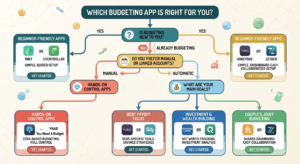
With so many excellent options, how do you decide? Ask yourself these questions:
Question 1: What’s Your Budgeting Experience Level?
Beginner: Start with Mint (free, simple) or PocketGuard (extremely simple)
Intermediate: Try EveryDollar, Simplifi, or Monarch Money
Advanced: YNAB offers the most comprehensive methodology
Question 2: What’s Your Budget for Budgeting?
$0: Mint, Personal Capital, Honeydue, or Zeta
Under $100/year: EveryDollar ($79.99), Goodbudget ($70), or Copilot ($79.99)
$100+/year: YNAB ($109), Monarch Money ($99.99), or Simplifi ($47.88)
Question 3: How Much Time Will You Invest?
Minimal (5 minutes/week): Mint, Personal Capital, or PocketGuard
Moderate (15-30 minutes/week): EveryDollar, Simplifi, or Monarch
Committed (30+ minutes/week): YNAB or Goodbudget
Question 4: What’s Your Primary Goal?
Stop overspending: YNAB, EveryDollar, or PocketGuard
Track where money goes: Mint or Simplifi
Pay off debt: YNAB, EveryDollar, or PocketGuard
Build wealth/invest: Personal Capital or Empower
Budget with partner: Honeydue, Zeta, or Monarch Money
Question 5: Do You Prefer Automatic or Manual Tracking?
Automatic (bank syncing): Mint, YNAB Premium, EveryDollar Premium, Simplifi
Manual entry: Goodbudget, EveryDollar Free, YNAB (can be used manually)
Hybrid: Most apps support both methods
Key Features to Look For in Any Budgeting App
Regardless of which app you choose, ensure it includes these essential features:
1. Bank-Level Security
Look for:
- 256-bit encryption
- Two-factor authentication
- Read-only bank access (can’t move money)
- SOC 2 certification
- Regular security audits
Red Flag: Any app that asks for your actual bank login credentials instead of using secure API connections.
2. Multi-Device Access
Your budgeting app should work seamlessly across:
- Smartphone (iOS and Android)
- Tablet
- Desktop web browser
- Automatic syncing between devices
3. Customizable Categories
Every household is unique. Good apps let you:
- Create custom spending categories
- Split transactions across multiple categories
- Rename existing categories
- Set individual limits for each category
4. Goal Tracking
Whether saving for emergency fund, vacation, or retirement, your app should:
- Track multiple goals simultaneously
- Show progress visually
- Calculate how long until goal completion
- Allow goal-specific savings accounts
5. Alerts and Notifications
Stay on track with:
- Low balance warnings
- Bill payment reminders
- Overspending alerts
- Unusual transaction notifications
- Weekly spending summaries
6. Reporting Capabilities
Understand your financial patterns through:
- Monthly spending reports
- Category trend analysis
- Year-over-year comparisons
- Net worth tracking
- Customizable date ranges
Common Budgeting App Mistakes to Avoid
Even with the best app, these mistakes can derail your budgeting efforts:
Mistake 1: Choosing the Wrong App for Your Style
The Problem: Downloading YNAB when you want passive tracking, or using Mint when you need strict accountability.
The Solution: Honestly assess your budgeting style and commitment level before choosing. If you’ve failed at budgeting before, start simple (Mint or PocketGuard) rather than jumping to advanced apps.
Mistake 2: Not Checking the App Regularly
The Problem: Installing an app then ignoring it for weeks. Automatic syncing doesn’t mean automatic financial improvement.
The Solution: Set a specific time for weekly budget reviews. Sunday evening or Friday morning works well for most people. Block 15 minutes on your calendar.
Mistake 3: Setting Unrealistic Budget Categories
The Problem: Allocating $100/month for groceries when you’ve been spending $400, then giving up when you inevitably exceed the limit.
The Solution: Start with your actual spending (track for one month without restrictions), then make gradual reductions. Cut 10% first, stabilize, then cut more if desired.
Mistake 4: Not Accounting for Irregular Expenses
The Problem: Forgetting about annual expenses like car registration, insurance, holiday gifts, or summer camps until they hit.
The Solution: List all irregular expenses for the year, divide by 12, and budget that amount monthly. YNAB calls this “embracing your true expenses.”
Mistake 5: Switching Apps Too Frequently
The Problem: Jumping to a new app every time you encounter a minor frustration, never giving any system time to work.
The Solution: Commit to one app for at least 90 days. Most budgeting success comes from consistency, not the perfect tool.
Mistake 6: Ignoring Your Partner
The Problem: Budgeting solo when you share finances, leading to conflict and sabotaged budgets.
The Solution: Choose an app with multi-user access (YNAB, Monarch, Honeydue, Zeta) and have weekly budget meetings with your partner. Our best bank accounts guide includes tips for couples banking together.
How to Set Up Your Budgeting App for Success
Follow this step-by-step process regardless of which app you choose:
Week 1: Setup and Baseline
Day 1-2: Connect Accounts
- Link all bank accounts
- Connect credit cards
- Add investment accounts (if app supports)
- Include loan accounts
Day 3-4: Clean Up Transactions
- Review automatically categorized transactions
- Fix any miscategorizations
- Split transactions if needed
- Delete any duplicate imports
Day 5-7: Observe Spending
- Don’t change behavior yet
- Just watch where money goes
- Take notes on surprise spending
- Identify forgotten subscriptions
Week 2: Create Your Budget
Review Past Spending
- Look at last 3 months in app
- Calculate average spending per category
- Identify highest expense categories
- Note seasonal variations
Set Initial Categories
- Start with app’s default categories
- Add custom categories as needed
- Keep it simple (15-20 categories max)
- Create broader categories, not narrow ones
Allocate Your Income
- Enter expected monthly income
- Assign to fixed expenses first (rent, insurance, loan payments)
- Allocate to variables (groceries, gas)
- Assign to savings goals
- Put remaining in discretionary categories
Week 3: Test and Adjust
Monitor Daily
- Check app each evening
- Verify transactions categorized correctly
- Stay aware of category balances
- Adjust as needed
Weekly Review
- Set aside 15 minutes every Sunday
- Review each category’s status
- Adjust allocations if needed
- Plan for upcoming week’s expenses
Make Small Changes
- Adjust one or two categories
- Test new limits
- See what feels sustainable
- Don’t try to change everything at once
Week 4: Establish Routine
Create Habits
- Set specific review times
- Enable all relevant alerts
- Check before making purchases
- Log cash transactions immediately
Evaluate Progress
- Compare planned vs actual spending
- Celebrate wins (even small ones)
- Identify problem categories
- Adjust approach for month two
Maximizing Your Budgeting App’s Potential
Once you’ve mastered the basics, use these advanced strategies:
Strategy 1: Use Multiple Apps Together
Many successful budgeters use app combinations:
YNAB + Personal Capital: Detailed budgeting + investment tracking
Mint + YNAB: Free overview + serious budgeting when ready
EveryDollar + Honeydue: Personal budget + couple communication
Strategy 2: Automate Everything Possible
Set up automatic transfers for:
- Savings goals (to separate high-yield accounts)
- Debt payments (more than minimum)
- Investment contributions
- Bill payments
Learn how to maximize your savings with our high-yield savings accounts guide.
Strategy 3: Create Sinking Funds
For irregular expenses, create dedicated savings categories:
- Holiday gifts
- Car maintenance
- Insurance premiums
- Vacation fund
- Medical expenses
- Home repairs
Strategy 4: Review and Reflect Monthly
End of each month, spend 30 minutes:
- Comparing budget vs actual
- Identifying spending triggers
- Celebrating successes
- Adjusting next month’s budget
- Checking progress toward annual goals
Strategy 5: Use Reports for Insights
Most apps generate valuable reports:
- Spending trends over time
- Category comparisons month-to-month
- Net worth growth trajectory
- Income vs expenses visualization
Review these quarterly to spot patterns you’d otherwise miss.
Privacy and Security Considerations
Budgeting apps require access to sensitive financial data. Protect yourself:
What to Look For
✅ Read-Only Access: App can view transactions but can’t move money
✅ 256-Bit Encryption: Same security banks use
✅ Two-Factor Authentication: Extra login security layer
✅ Regular Security Audits: Third-party verification
✅ Clear Privacy Policy: Transparent about data usage
✅ No Data Selling: Verify app doesn’t sell your information
Red Flags
❌ Apps asking for PIN numbers or security questions
❌ No encryption mentioned in documentation
❌ Vague privacy policies
❌ No customer support contact information
❌ Excessive permissions requests
❌ No two-factor authentication option
Best Practices
1. Use Strong, Unique Passwords: Never reuse passwords across financial apps
2. Enable Biometric Login: Use fingerprint or face recognition when available
3. Update Regularly: Install app updates promptly for security patches
4. Review Connected Accounts: Quarterly check which accounts are linked
5. Monitor for Unauthorized Access: Watch for login alerts from unknown devices
Budgeting Apps for Special Situations
For Freelancers and Variable Income
Best Options: YNAB, Simplifi, or EveryDollar
Key Features Needed:
- Ability to budget with uneven income
- Prioritization of expenses
- Buffer building capabilities
- Multiple income source tracking
Strategy: Budget one month ahead using previous month’s income. Build a buffer before budgeting future income.
For Families with Children
Best Options: YNAB (family sharing), Monarch Money, or EveryDollar
Key Features Needed:
- Multiple user access
- Allowance tracking
- Activity/childcare category management
- Goal tracking for college savings
Strategy: Create specific categories for each child’s activities and needs. Use goal tracking for college funds.
For Debt Payoff Focus
Best Options: YNAB, EveryDollar, or PocketGuard
Key Features Needed:
- Debt tracking with interest rates
- Payoff timeline projections
- Snowball or avalanche calculators
- Aggressive budgeting methodology
Strategy: Use zero-based budgeting to find extra dollars for debt payments. Track multiple debts and celebrate milestones.
For Retirement Planning
Best Options: Personal Capital, Empower, or Simplifi
Key Features Needed:
- Retirement calculator
- Investment tracking
- Net worth monitoring
- Fee analysis
Strategy: Track net worth monthly, review investment fees quarterly, adjust retirement contributions based on calculator projections.
Frequently Asked Questions About Budgeting Apps
Are budgeting apps safe?
Yes, when you choose reputable apps with proper security. Look for 256-bit encryption, two-factor authentication, and read-only bank access. Major apps like YNAB, Mint, and Personal Capital use the same security protocols as banks. They cannot move your money—only view transactions.
Do budgeting apps really help you save money?
Studies show yes—significantly. Users of budgeting apps save an average of $600 more annually than non-users. YNAB specifically reports users save $600 in the first two months and pay off $6,000 in debt the first year. The key is consistent use, not just downloading the app.
What’s the best free budgeting app?
Mint is the best overall free option, offering comprehensive features without cost. For couples, Honeydue or Zeta are excellent free choices. For envelope budgeting, Goodbudget’s free version (20 envelopes) works well for most households.
Is YNAB worth the cost?
For people serious about budgeting, yes. At $109/year, it pays for itself if it helps you save $10/month or avoid a single overdraft fee. Users consistently report saving significantly more than the subscription cost. However, free alternatives like Mint or EveryDollar’s basic version work fine for casual budgeters.
Can I use a budgeting app if I hate budgeting?
Absolutely. Apps like PocketGuard or Mint require minimal effort—just connect accounts and check occasionally. You don’t need to actively manage categories or allocate every dollar. Even passive monitoring helps you spend less by increasing awareness.
Should I use the same app as my partner?
Not necessarily. Some couples each use individual apps plus a shared app like Honeydue or Zeta for joint expenses. Others use one comprehensive app with multi-user access (YNAB, Monarch). What matters is that you both engage with the system and communicate about money.
Do I need to link my bank account or can I enter transactions manually?
Most apps work both ways. Automatic linking is easier and more accurate, but manual entry works if you’re privacy-conscious or your bank isn’t supported. Goodbudget and EveryDollar’s free version are designed for manual entry.
What if my bank isn’t supported by the app?
Check the app’s supported institutions list before subscribing. Major apps support 10,000-16,000 banks, covering 95%+ of US institutions. If your bank isn’t supported, you can manually add transactions or choose a different app. Consider switching to a better bank—check our best bank accounts for 2025 guide.
Can budgeting apps help me get out of debt faster?
Yes. Apps with debt tracking features (YNAB, EveryDollar, PocketGuard) help you stay accountable, find extra money for payments, and visualize progress. The debt snowball or avalanche calculators show exactly when you’ll be debt-free, providing motivation to stick with the plan.
How long does it take to see results from using a budgeting app?
Most people notice increased awareness immediately and behavioral changes within 2-4 weeks. Measurable financial improvements (reduced spending, increased savings) typically appear within 60-90 days. Give any app a full three months before deciding if it’s working.
Take Action: Your 30-Day Budgeting App Challenge
Ready to transform your finances? Follow this 30-day plan:
Days 1-3: Choose Your App
- Review the apps in this guide
- Determine your budget and priorities
- Select 2-3 apps to trial
- Sign up for free trials
- Download to phone and computer
Days 4-7: Setup and Connect
- Link all bank accounts
- Connect credit cards
- Add loan/debt accounts
- Set up investment tracking (if applicable)
- Verify all transactions importing correctly
Days 8-14: Observe and Learn
- Review transactions daily
- Fix categorization errors
- Track but don’t change spending
- Learn app features and interface
- Watch tutorial videos
Days 15-21: Create Your Budget
- Calculate average spending per category
- Set realistic category limits
- Allocate all income
- Establish savings goals
- Set up alerts and notifications
Days 22-28: Live Your Budget
- Check app before purchases
- Adjust categories as needed
- Use app to make spending decisions
- Log cash transactions
- Have partner review together (if applicable)
Days 29-30: Evaluate and Commit
- Review entire month’s results
- Calculate money saved
- Identify successes and challenges
- Decide if continuing with this app
- Subscribe or try different option
- Plan improvements for month two
Conclusion: Your Perfect Budgeting App Is Out There
There’s no single “best” budgeting app—only the best app for YOUR specific situation, goals, and personality.
If you’re just starting out and want something free and simple, Mint is your answer. If you’re serious about transforming your finances and willing to invest time and money, YNAB delivers unmatched results. Couples should explore Honeydue, Zeta, or Monarch Money. Apple enthusiasts will love Copilot. Investors need Personal Capital.
The most important decision isn’t which app you choose—it’s that you choose one and commit to using it.
Remember these key principles:
✅ Consistency beats perfection: Using an imperfect app regularly beats having the “perfect” app you never open
✅ Start simple, add complexity: Begin with basic tracking, graduate to detailed budgeting as you’re ready
✅ Give it 90 days: Real results require at least three months of consistent use
✅ Adjust your approach: If one app isn’t working after fair trial, switch without guilt
✅ Use it daily: Make checking your budget a 5-minute morning routine
The average American could save $500-1,000 annually just by tracking expenses and making conscious spending decisions. That’s the power of budgeting apps—not in fancy features or complex algorithms, but in the simple act of paying attention to where your money goes.
Download an app today. Connect your accounts. Spend 15 minutes exploring. Take that first small step toward financial control.
Your future self—with a robust emergency fund, zero credit card debt, and peace of mind—will thank you.
Ready to optimize your complete financial picture? Explore these related guides:
- Best Bank Accounts for 2025: Checking, Savings & Money Market – Find the perfect account for your budget
- High-Yield Savings Accounts: Maximize Your Interest Earnings – Grow the money you’re now saving
- Banking Fees to Avoid: Save Hundreds on Hidden Charges – Keep more of what you earn
- Online Banks vs Traditional Banks (Coming soon) – Choose the right banking partner
Leave a Reply